E-marketing Suite

E-mail marketing software integration for your PCMS.

Seamlessly synchronise the contact information in your PCMS with Campaign Monitor or Mailchimp! Tell me more
overview The E-Marketing Suite is a custom software application that seamlessly synchronises the contact information within your PCMS with
Campaign Monitor, or Mailchimp e-marketing services.
This enables your firm to fully utilise e-marketing campaigns to their full potential, unlocking revenue opportunities.
Features

What benefits does the E-Marketing Suite provide?

Increased efficiency
Eliminates the need for manual data exports and imports, saving significant time and effort.
Improved data accuracy
Ensures that your email marketing lists are always up-to-date and accurate, reducing the risk of errors and duplicate data.
Enhanced targeting
Enables granular segmentation of your client base based on data from your PCMS, allowing for highly targeted and relevant email campaigns.
Automated email campaigns
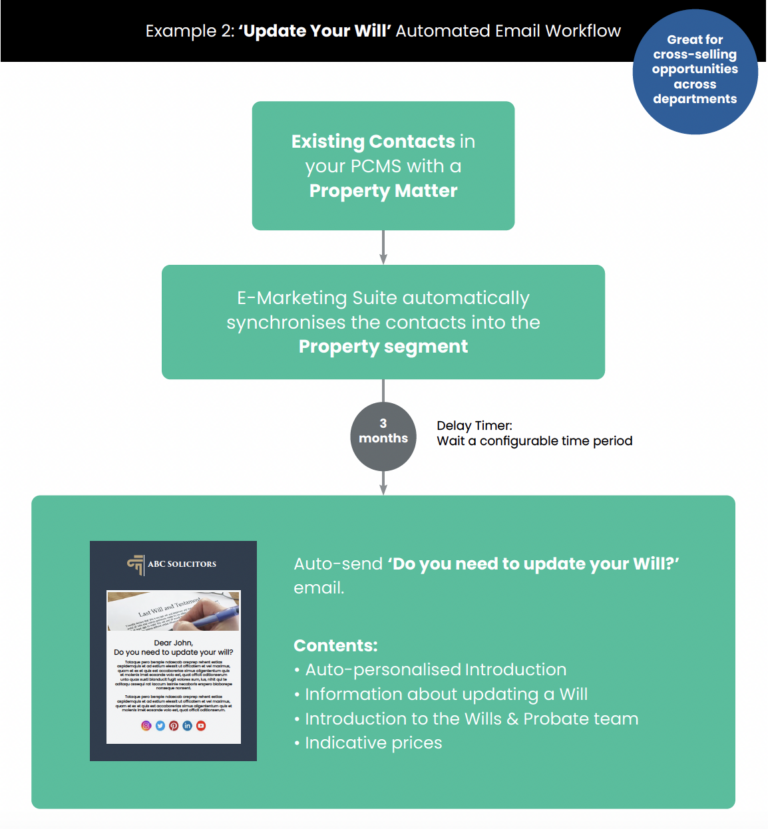
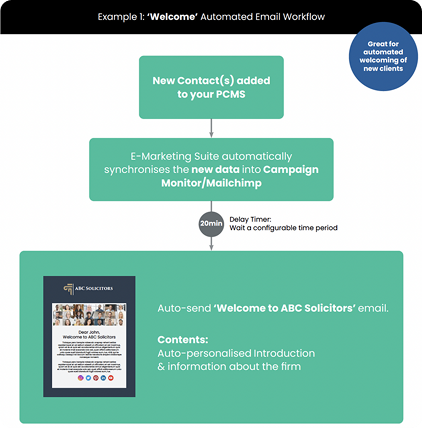
Allows you to leverage the power of automated email sequences triggered by specific events or criteria, such as welcoming new clients or following up after a service.
Revenue growth opportunities
By improving the efficiency and effectiveness of your email marketing efforts, the E-Marketing Suite helps unlock potential revenue opportunities.

Automated email campaigns

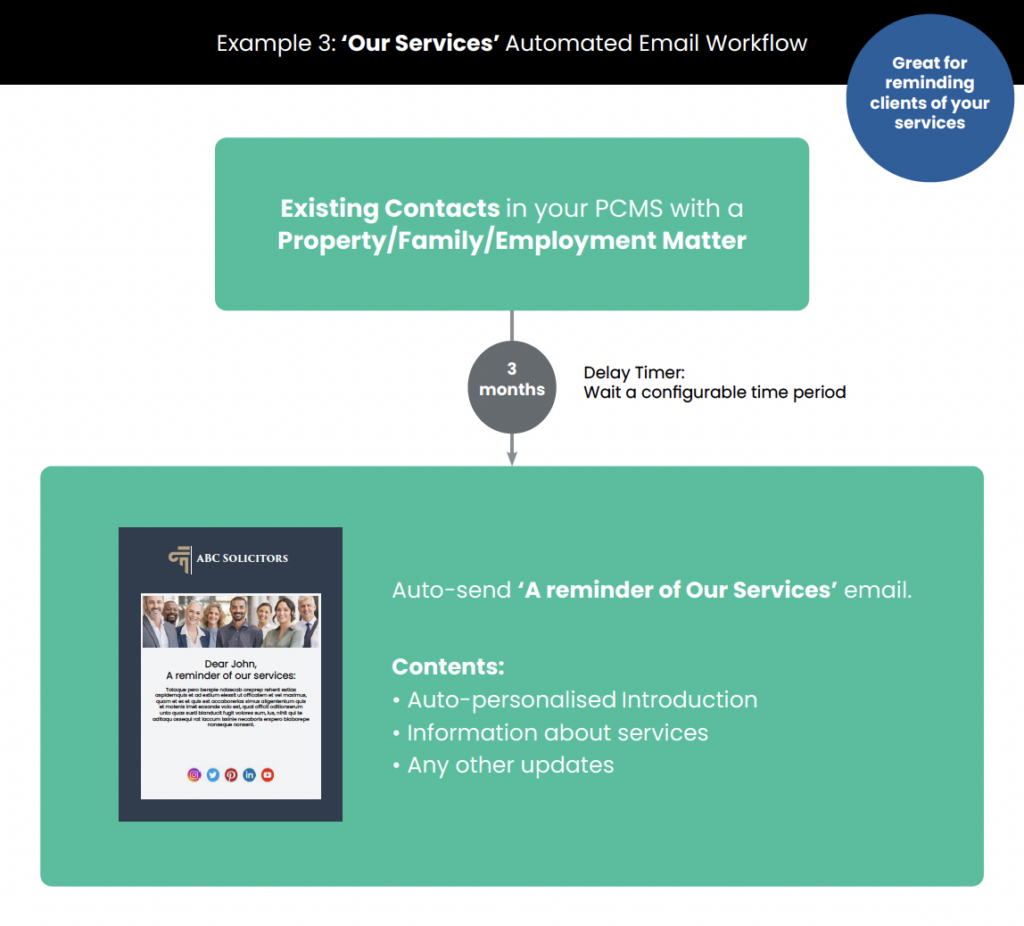
This impressive feature enables you to automate your email campaigns.

As this tool synchronises your client contact information with Campaign Monitor or Mailchimp, you can take full advantage of automated email tools. Pre-defined templates can be set up to run on automated triggers.
step by step guide

How does the one-time set up process work?
STEP 1
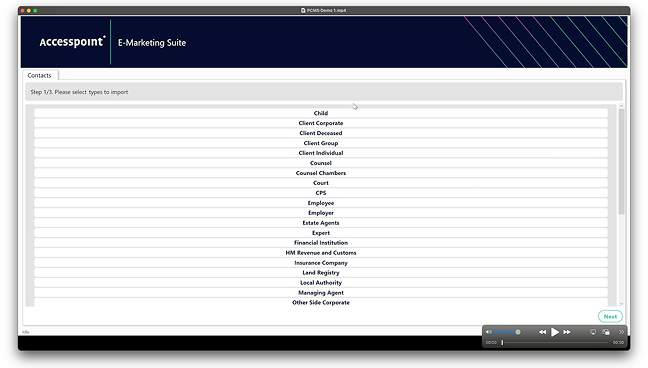
Select contact types
Select which contact types to sync. Client data is then automatically segmented in Campaign Monitor or Mailchimp. For example, a client that has purchased a residential property will be added automatically to the ‘property purchase’ segment. 
STEP 2
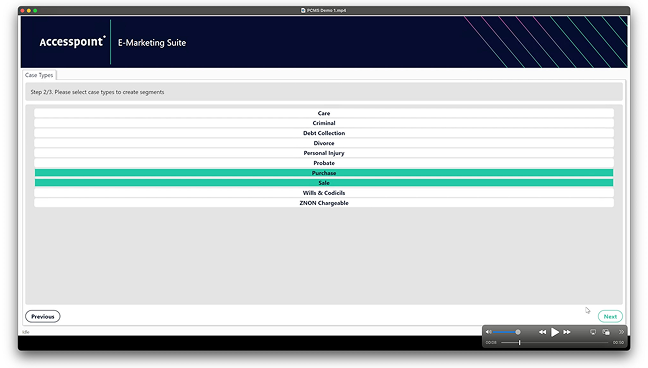
Select case types
Select which case types you want to sync. This gives you the option to leave out case types such as Crime where clients may be predominantly legal aid or legal help, and not the private-paying client type that you wish to target in your campaigns.
STEP 3
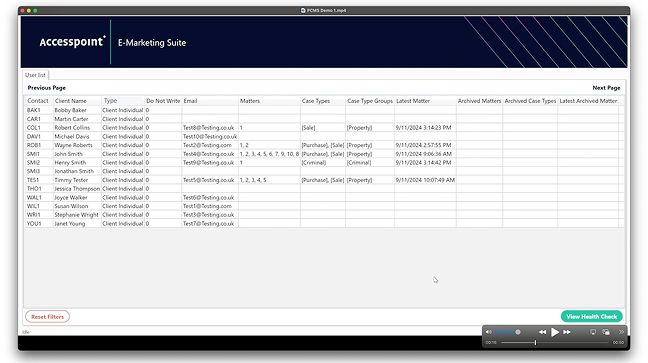
Preview your data
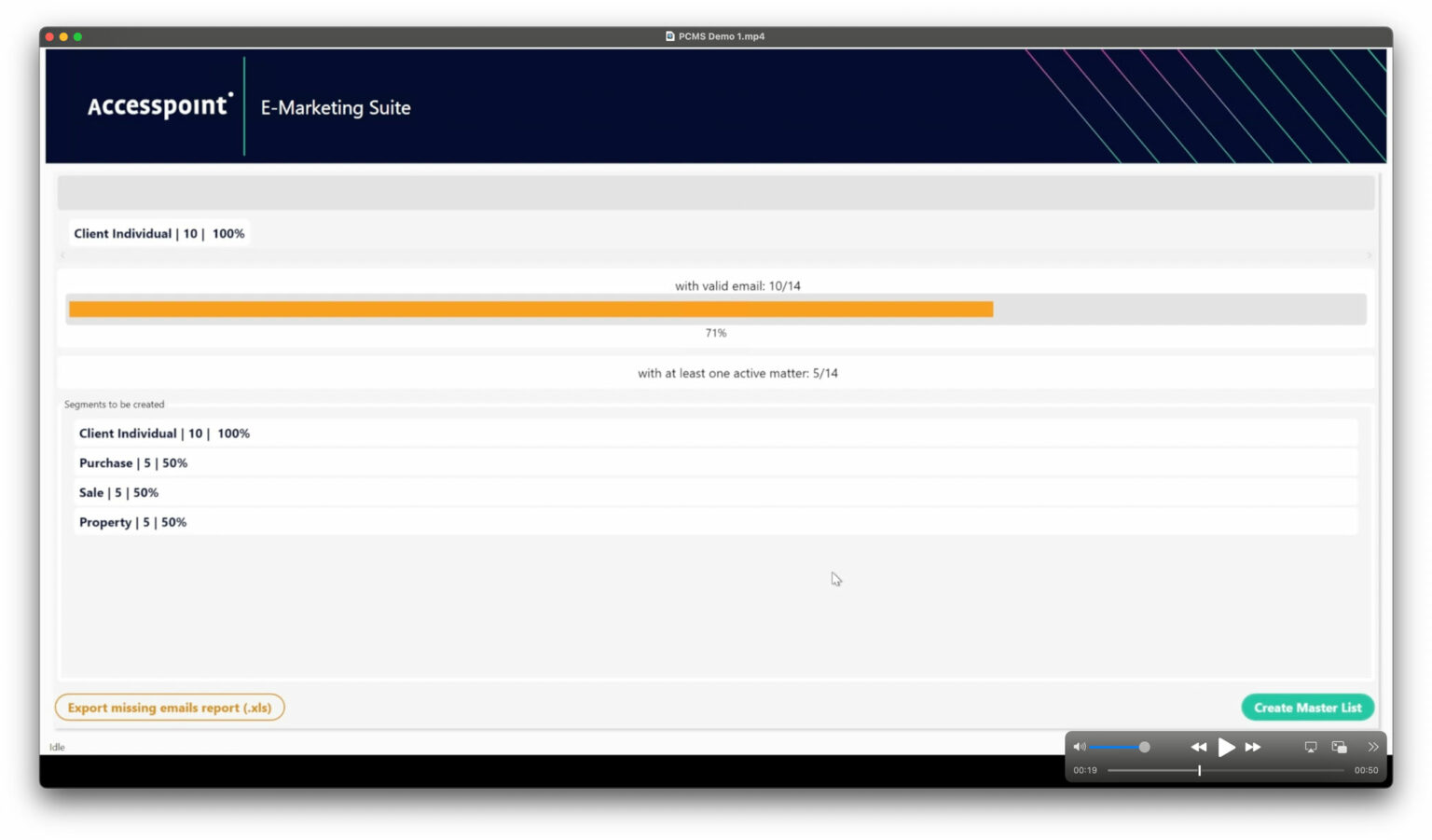
We know there’s nothing sexy about a spreadsheet, but it does a brilliant job of giving you a clear and simple overview of what data is being synced from your PCMS into your email marketing platform.
STEP 4
Export missing data (optional)
A ‘health check’ tool is built into the software to track how many contacts don’t have a valid email address within your PCMS. And yes, we see you: putting N/A, TBC and the dreaded full-stop in the email field! This handy report gives you the opportunity to export missing data and update contacts with a valid email.
STEP 5
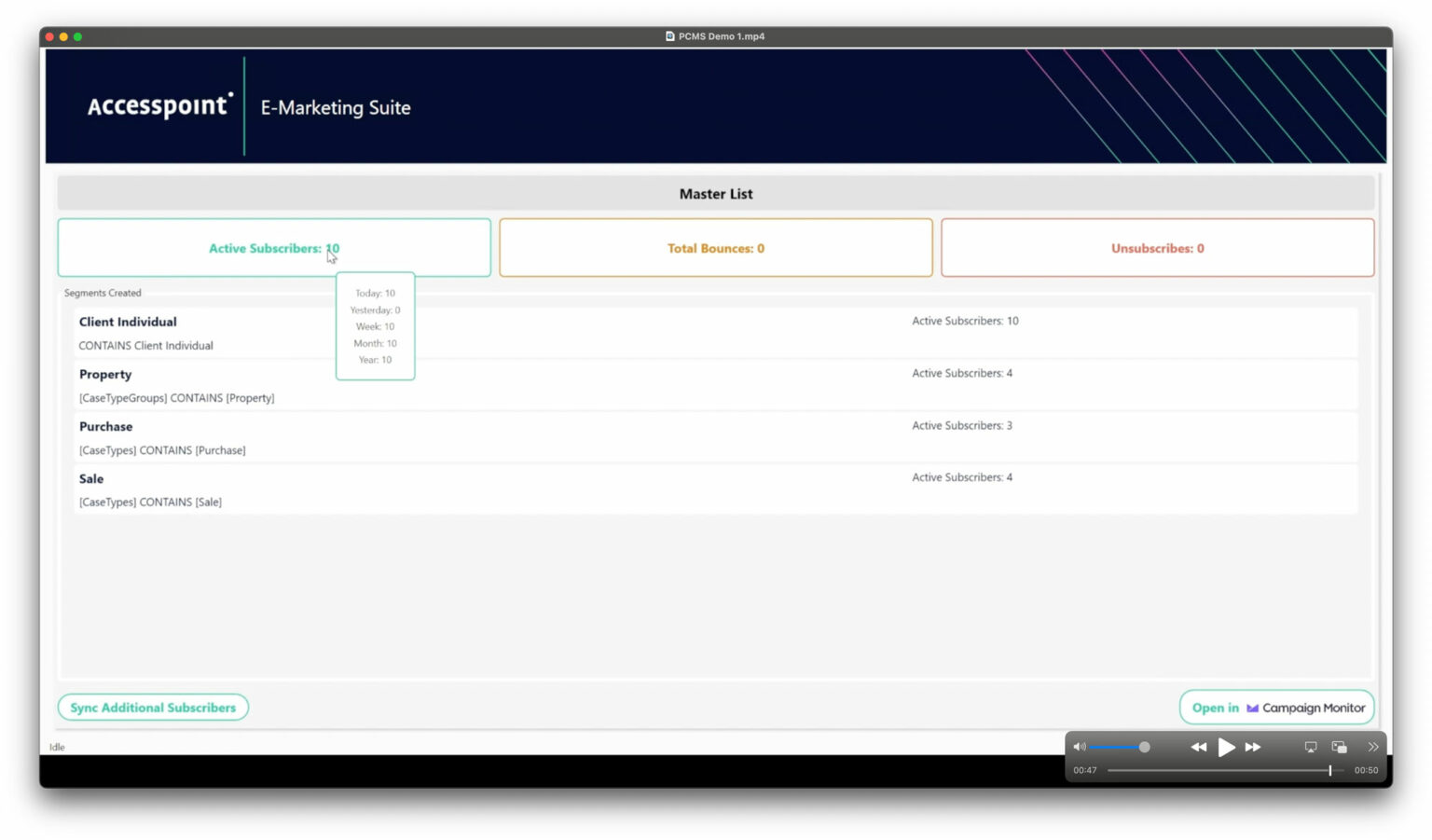
Delve into results with dashboard view
View statistics on email marketing directly from your PCMS such as database size, recent campaigns sent, open rates, clicks, unsubscribes and bounce rates. This can be viewed at any time – it’s live updated.
FAQ’s

The answers to your questions.

What problem does the E-Marketing Suite solve?

Traditionally, extracting client data from your PCMS for email campaigns was cumbersome and error-prone, involving complex queries, data exports, and manual imports. This process was time-consuming, risked data duplication, and resulted in outdated information. The E-Marketing Suite eliminates these issues by automating data synchronisation, ensuring data accuracy and saving valuable time.

How does the E-Marketing Suite work?

Once set up, the software runs in the background and automatically synchronises client contact information (including First Name, Last Name, Email, Matter Type Codes, and Date of Last Matter) between your PCMS and your chosen email marketing platform. Any changes made in your PCMS, such as new contacts or updates to existing information, are instantly reflected in your email marketing lists.

Can I control which data is synchronised?

Yes, the initial setup process allows you to configure precisely which data fields and contact types are synchronised with your email marketing platform. You can add or remove specific contact types, case type groups, and case types as needed.

How does the E-Marketing Suite help with email campaign automation?

The E-Marketing Suite enables you to fully utilise the automation features of Campaign Monitor or Mailchimp. You can create pre-defined email templates and set up automated triggers based on client actions or specific timeframes. For example, you can automatically send welcome emails to new contacts, follow-up emails after service milestones, or periodic reminders about your services.

Are there any additional features included in the E-Marketing Suite?

Yes, the E-Marketing Suite offers several additional features, such as:

Dashboard View: Provides insightful statistics on your email marketing performance, including database size, campaign performance, unsubscribe rates, and bounce rates.
Health Check Tool: Helps identify and correct invalid email addresses in your PCMS, ensuring deliverability and campaign success.

How much does the E-Marketing Suite cost?

The E-Marketing Suite is available at an early adopter rate for setup, implementation, and customisation. There is a monthly subscription fee which includes support and access to new features. Optional design and development services for branded email templates and automated workflows are also available. Contact us for pricing.


case studies

Hear from some of our clients who love Mozaique.

Book a demo

This field is for validation purposes and should be left unchanged.