Client Portal
Say hello to your law firm’s secure, accessible, and customisable client portal.
Our Mozaique Client Portal provides real-time access for your clients to view their case progress, complete onboarding and make secure payments.
Take a look at our features
overview
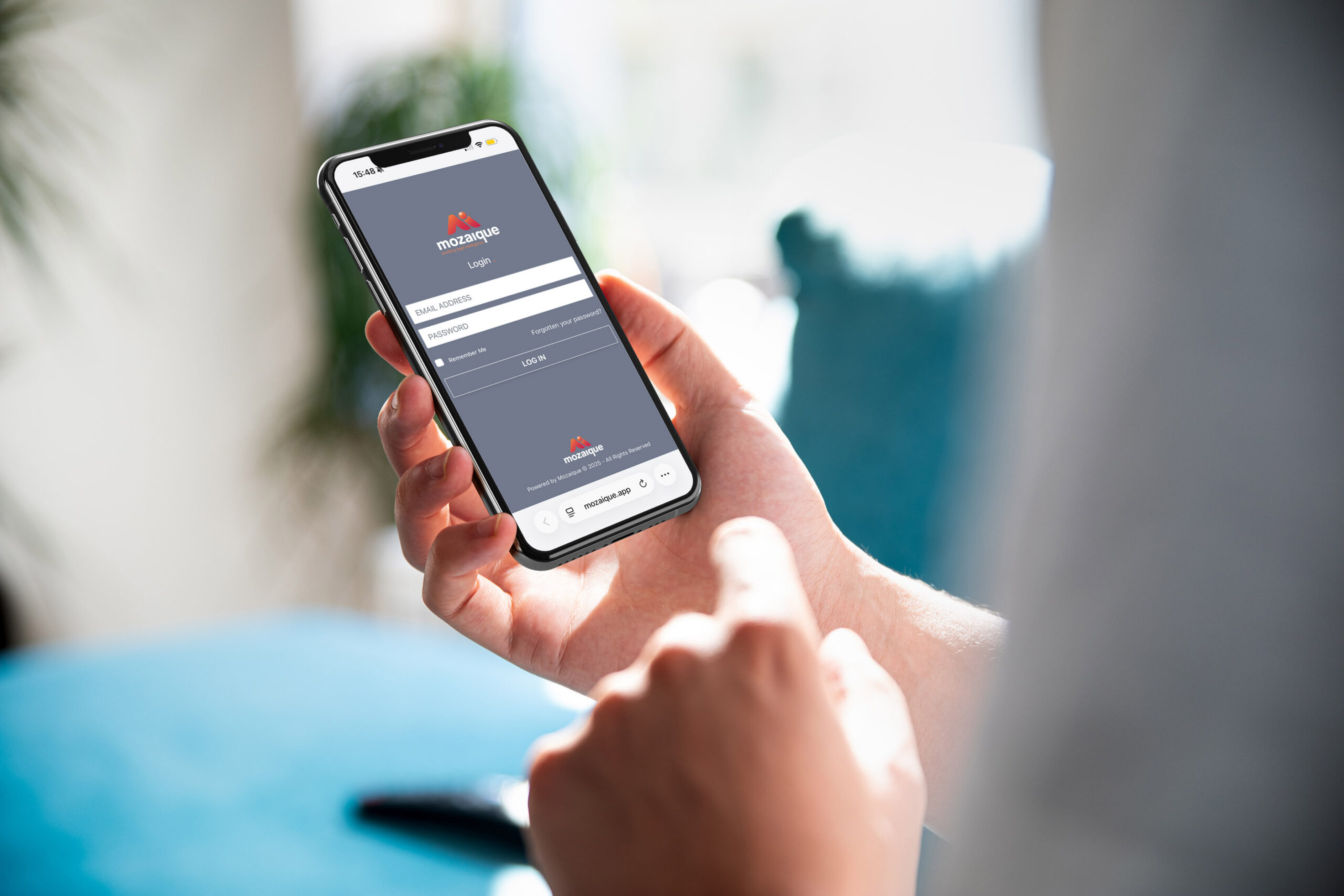
A secure, accessible, and customisable client portal that brings everything together in one place. Share real-time case updates, capture data through web forms, manage to-do lists and milestones, securely exchange documents, and take payments online all in one powerful legal portal.
Clients can track matter progress, make secure payments, share documents securely, and work their way through an actionable to-do list, such as signing T&Cs and paying money on account. The result is clearer communication for clients and more time for your team to focus on legal work.
Features

Features
Enjoy bespoke branding
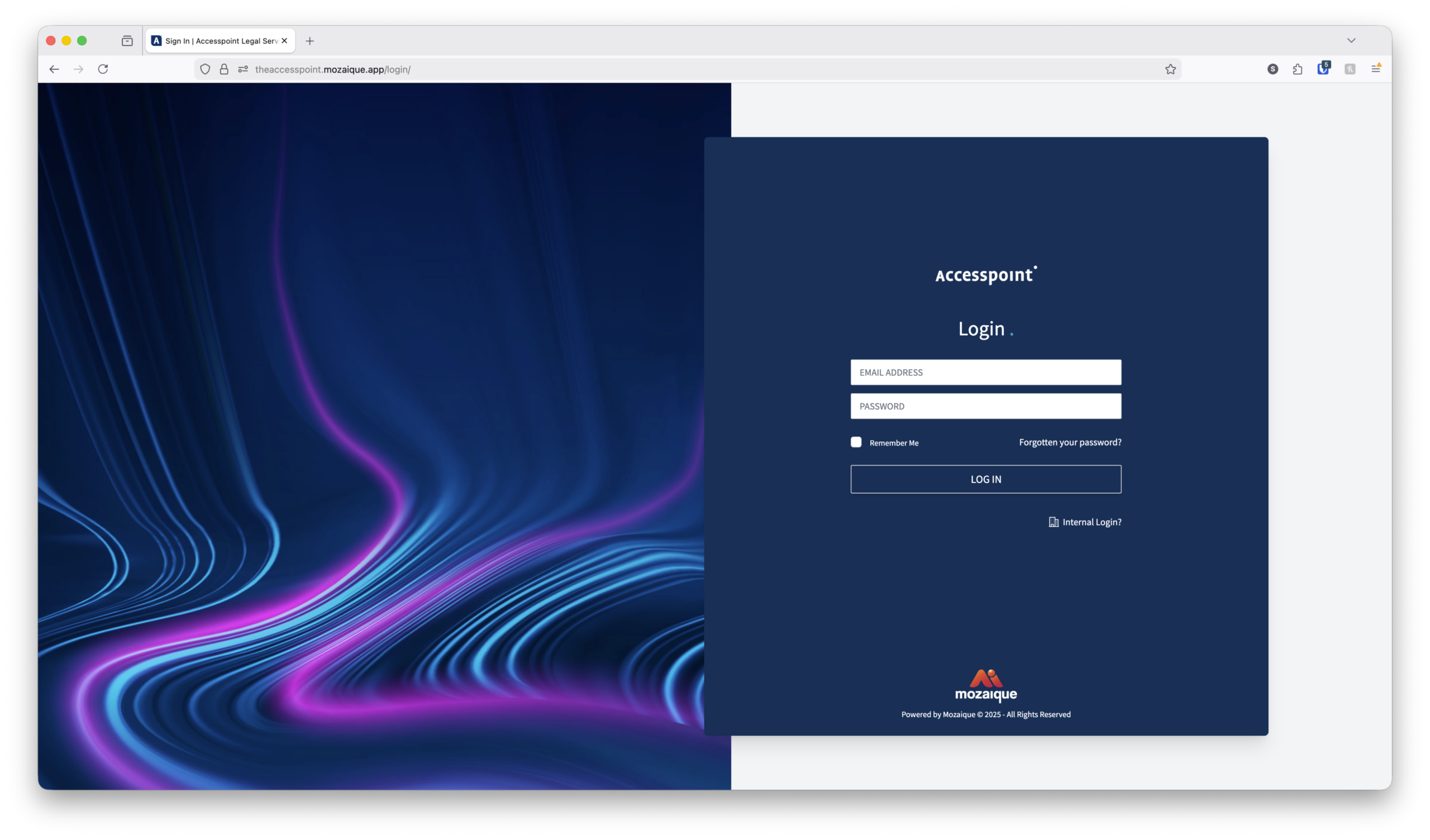
Make the portal feel like a natural extension of your firm. Apply your own branding, logos, colours, imagery, T&C’s, email content and contact information so clients experience a consistent, professional service throughout their journey.
Actionable, case specific, client to-do list
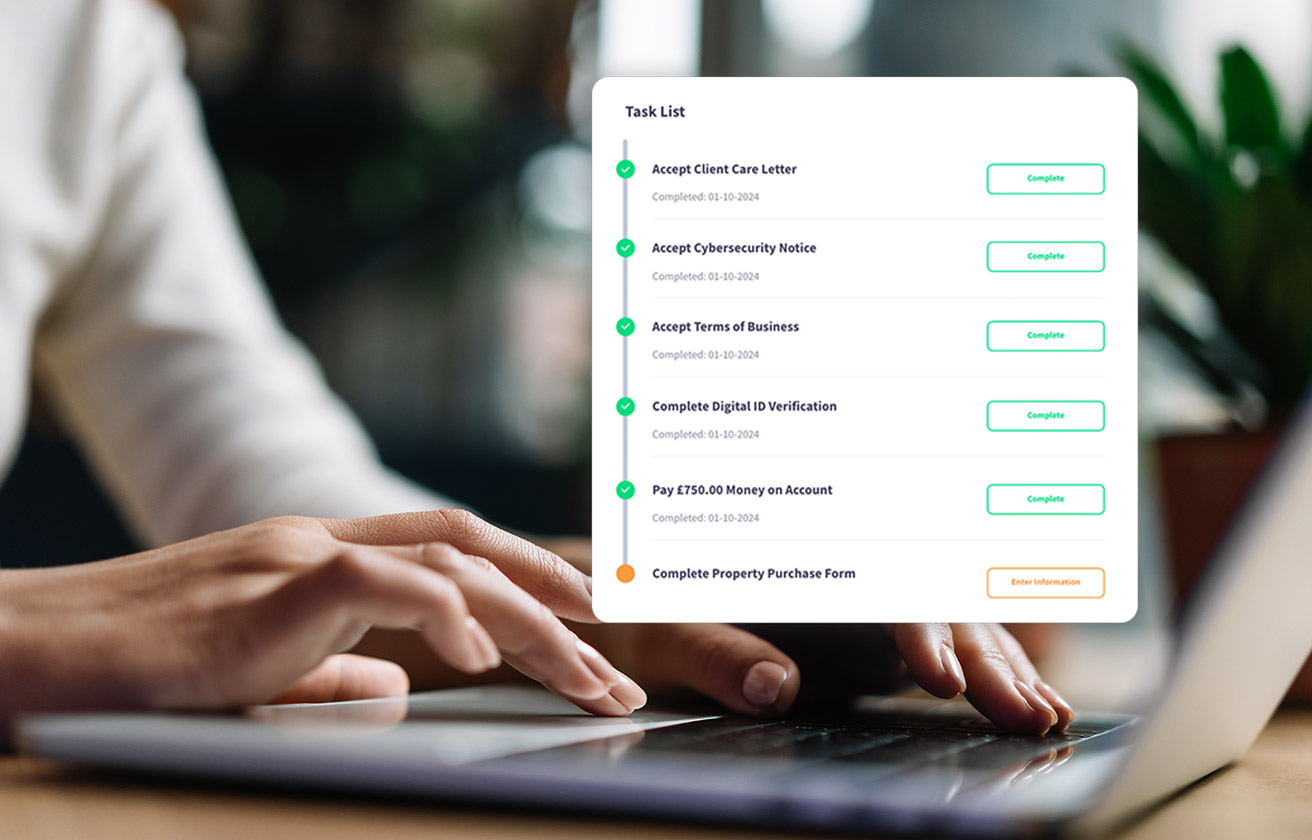
Give clients clear, actionable next steps. Clients can see exactly what they need to do and when, such as paying money on account, completing a webform, approving a document or providing ID verification. This helps cases move forward without unnecessary chasing or follow-ups from your team.
Digital onboarding (AML/ID verification)
Clients can complete AML and ID verification directly through the portal using our integrated Verify365 solution. Automatic prompts guide clients through the process, while verification status updates in real time, reducing delays, manual checks, and compliance-related admin for your team.
Features
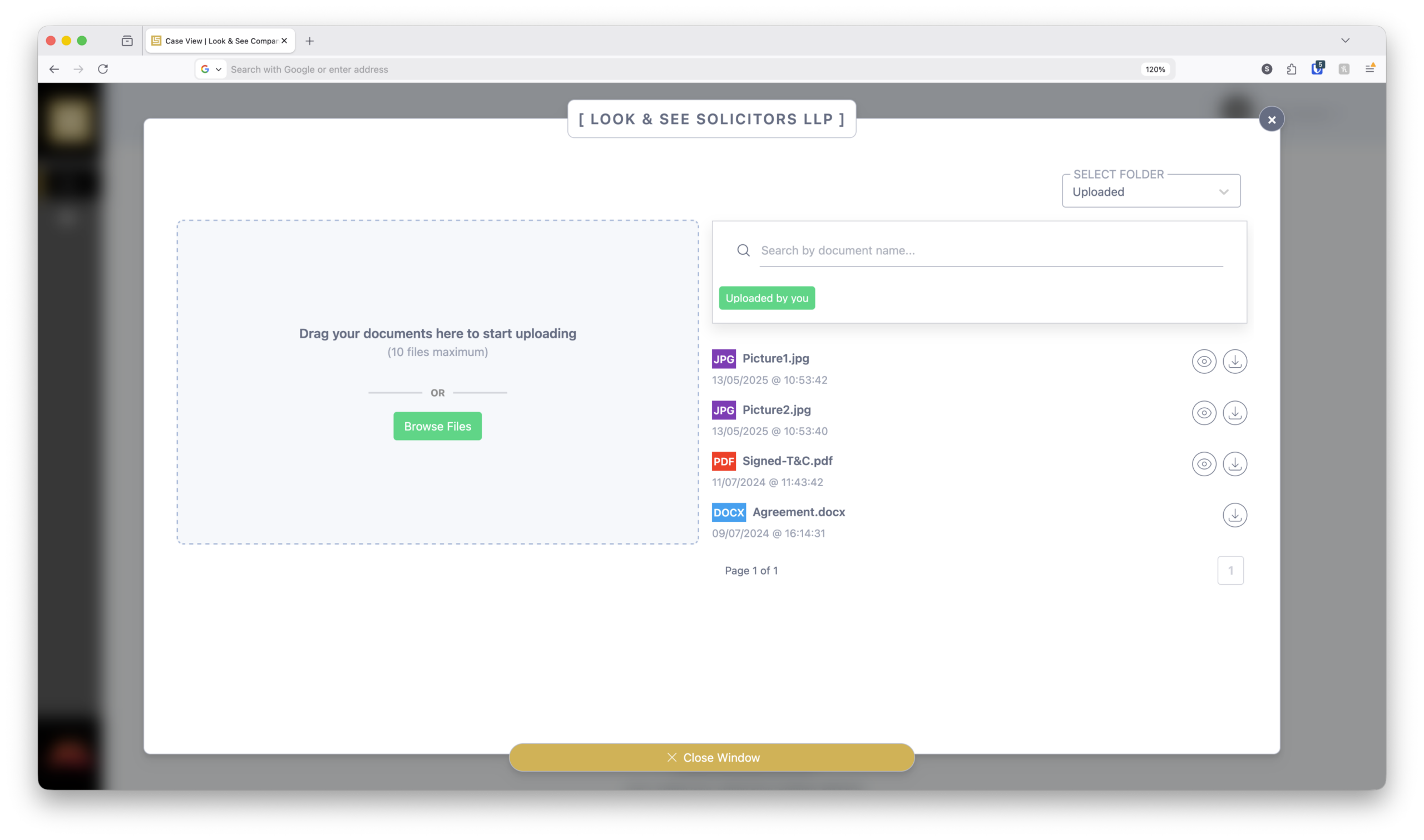

More Features
Be reassured with secure payments
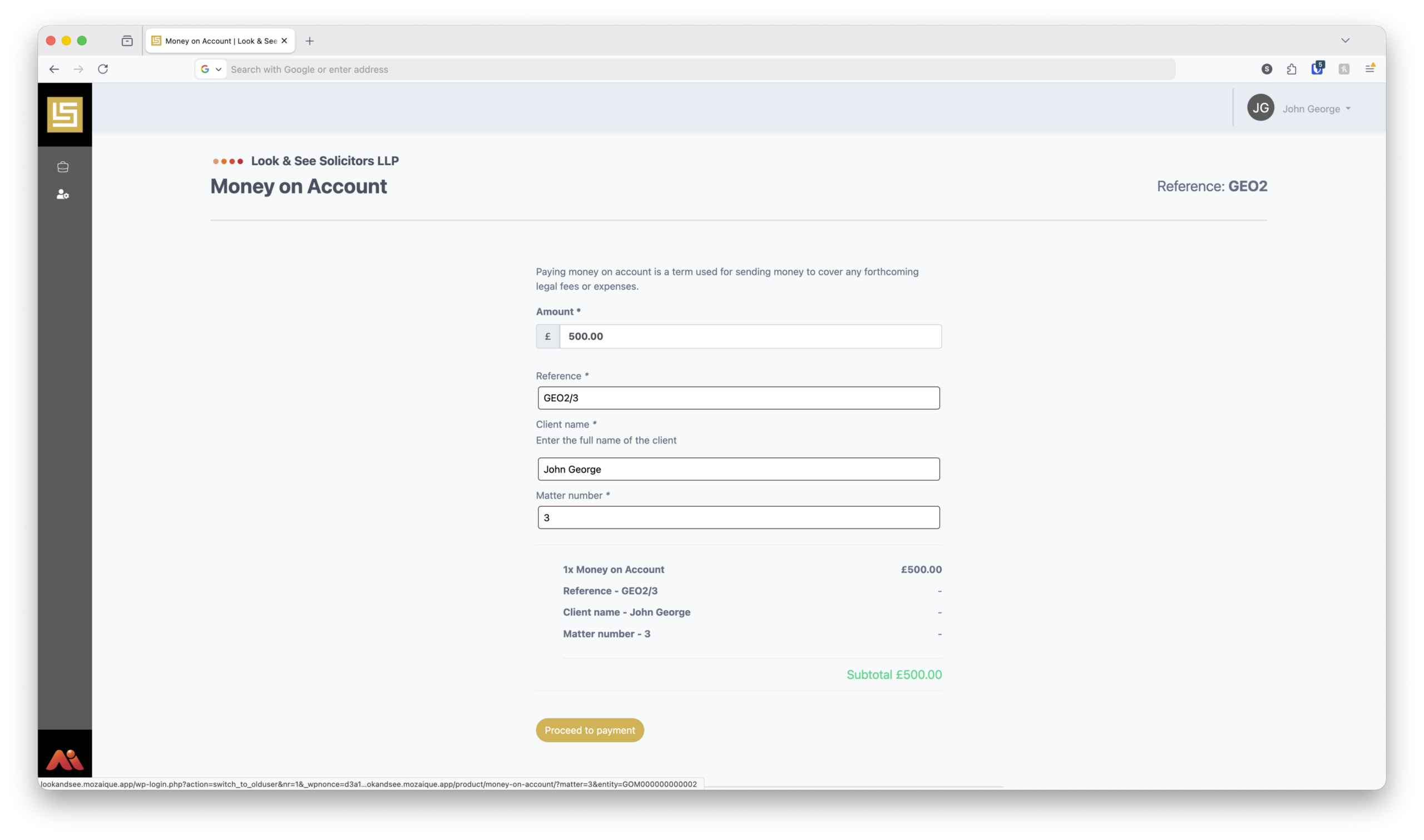
Take payments with confidence. With multiple integrations with payment vendors such as Stripe, WorldPay, Tyl, Barclays and Lloyds, Clients can make secure payments directly through the portal using a trusted payment system, giving peace of mind to both you and your clients.
Document sharing
Exchange documents securely without email attachments. Your team can upload documents directly to the portal for your clients to view or download at any time. Your Clients can also securely upload their own documents, with automatic notifications sent to your team when new files are added, keeping everything organised, auditable, and in one place
PCMS integration
Seamlessly connected to your Practice & Case Management System (PCMS). The Mozaique Client Portal integrates directly with your PCMS using secure APIs, allowing case information, milestones, tasks, and updates to be displayed in real time. Data is retrieved securely as needed and is not duplicated or stored within the portal, ensuring accuracy, consistency, and reduced data risk. his tight integration means fee earners continue working in their PCMS as normal, while clients benefit from up-to-date visibility without additional admin or manual updates.
and even more features
The client portal you’ve been looking for.

Mobile device friendly
Our client portal is completely accessible on any device: mobile, tablet and computer. This means your clients can access matter progress, view their to-do lists and milestones, and even pay securely via their mobile or tablet device.

Case milestone clarity
Keep clients informed automatically as their matter progresses. Milestones notify clients when key stages are reached, without calls or emails. For case-specific workflows, milestones can be pre-configured. When a step is completed in your PCMS, the milestone updates automatically.

Avoid admin errors with pre-populated client details
Our portal provides clients with pre-populated billing details, with the information synced securely from your firm’s PCMS database. **We do not hold any of this data. All client data is pulled directly from your PCMS.

Multiple clients
Safely share case information with more than one client. Where a case involves multiple parties, such as a property transaction, each client can have their own secure login. You control what each client can view and access within the portal.

Website integration
Connect the client portal seamlessly to your existing website. Add a “Login” button to your website so clients can securely access the portal in just one click, creating a smooth, familiar experience without disrupting your current site.

Case information
Give clients clear visibility of the essentials.
Clients can view key case details such as the case reference and the legal team working on their matter, helping build trust and reduce basic status queries
Enterprise, corporate clients
Corporate clients with multiple cases can quickly filter and search cases within the portal, making it easy to stay on top of ongoing work. Case data can also be exported to Excel, supporting internal reporting, finance, and compliance needs.

Client notes / comments
Share helpful updates and context directly within the case. Fee earners can add notes to a matter that clients can view in the portal, providing clarity, guidance, and reassurance without the need for additional emails or calls.
Active and archived cases
Easily view both current and completed cases.
Clients can clearly see active cases alongside archived cases, making it simple to track ongoing work while keeping past cases accessible for reference.
and even more features
Security is paramount.
Zero data storage
Always up to date, without duplicating data.
The portal retrieves information securely from your PCMS in real time via secure APIs. No data is stored or duplicated, ensuring accuracy, security, and complete confidence that clients are always seeing the latest information.
Compliance-focused
Maintain full visibility and accountability across every interaction. All activity within the portal is automatically tracked in a detailed audit log,including document uploads, downloads, and client actions, giving you a complete, time-stamped record for compliance, reporting, and peace of mind.

Reduced email risk
Minimise the sharing of sensitive information by email. Move documents, payments, and personal data into the secure client portal, reducing reliance on email and lowering the risk of data breaches or misdirected information.
Bank information
Share your firm’s bank details securely, without email. Display your firm’s bank account information directly within the client portal, ensuring clients always see verified payment details while reducing the risk of email interception or fraud.
Safer document sharing
Protect your firm with automatic security checks on uploads. All documents uploaded to the portal are scanned and validated using security controls such as file extension and MIME type checking, helping prevent malicious or unsupported files from entering your systems.
Multi-factor authentication
Add an extra layer of protection to every login.
Multi-factor authentication helps keep client and case data secure by requiring an additional verification step alongside passwords — reducing the risk of unauthorised access.
UK-based hosting
All infrastructure is hosted in UK data centres, supporting data sovereignty requirements and alignment with UK GDPR expectations.
Server-level protection
Hardened servers with active firewalls, intrusion prevention, and continuous monitoring to block malicious traffic before it reaches the application.

Document management
If you send a document over email by accident, it’s gone. Through the portal, you can remove this and also run an audit check to see if the client did access the document before you removed it, so that you can easily report this to your risk and compliance contact.
step by step guide
How do clients use the portal?
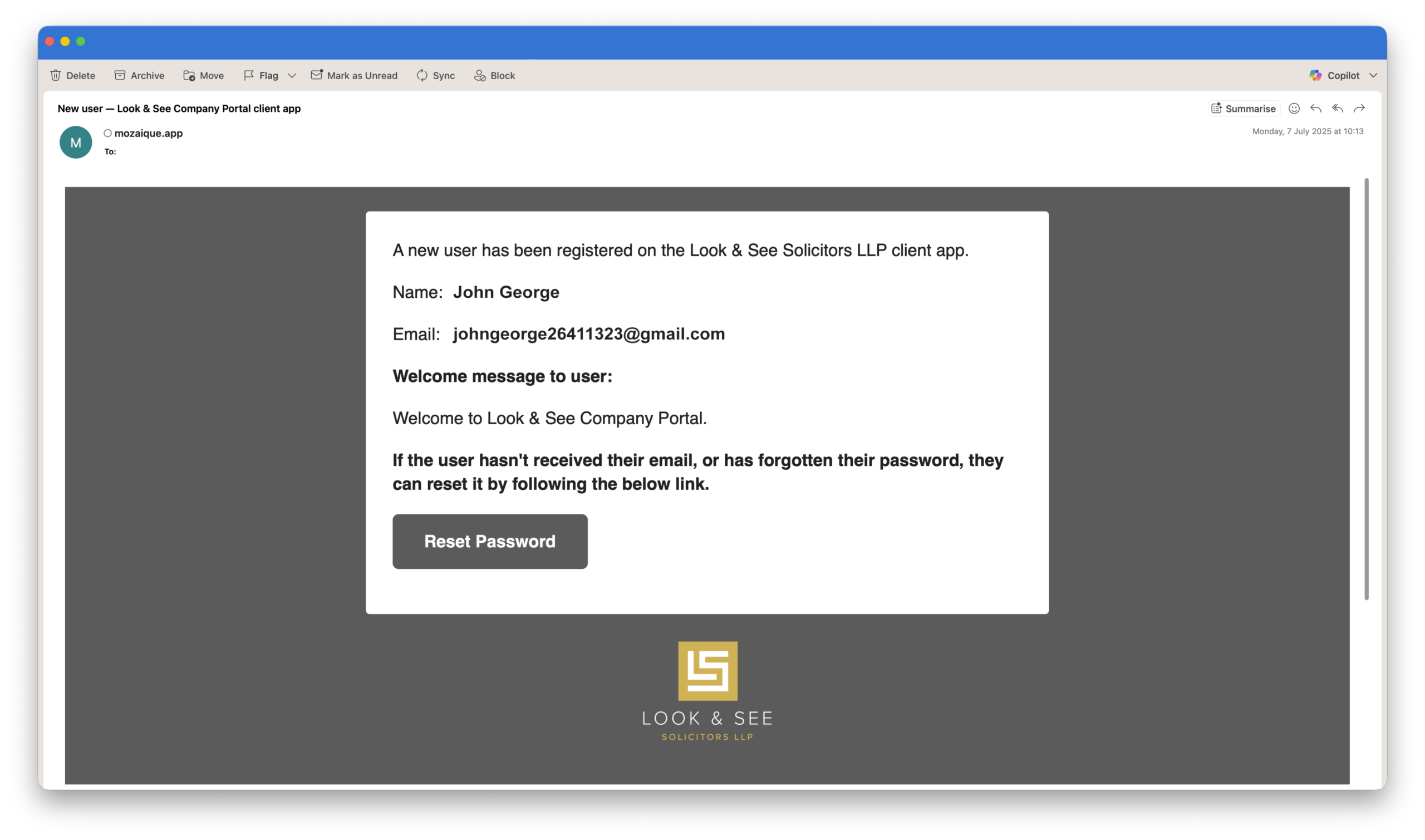
STEP 1
Secure setup
Once a lawyer grants access, the client receives a branded welcome email tailored to your firm. From there, they set their password and enable multi-factor authentication (MFA), giving them secure access to the portal in minutes.
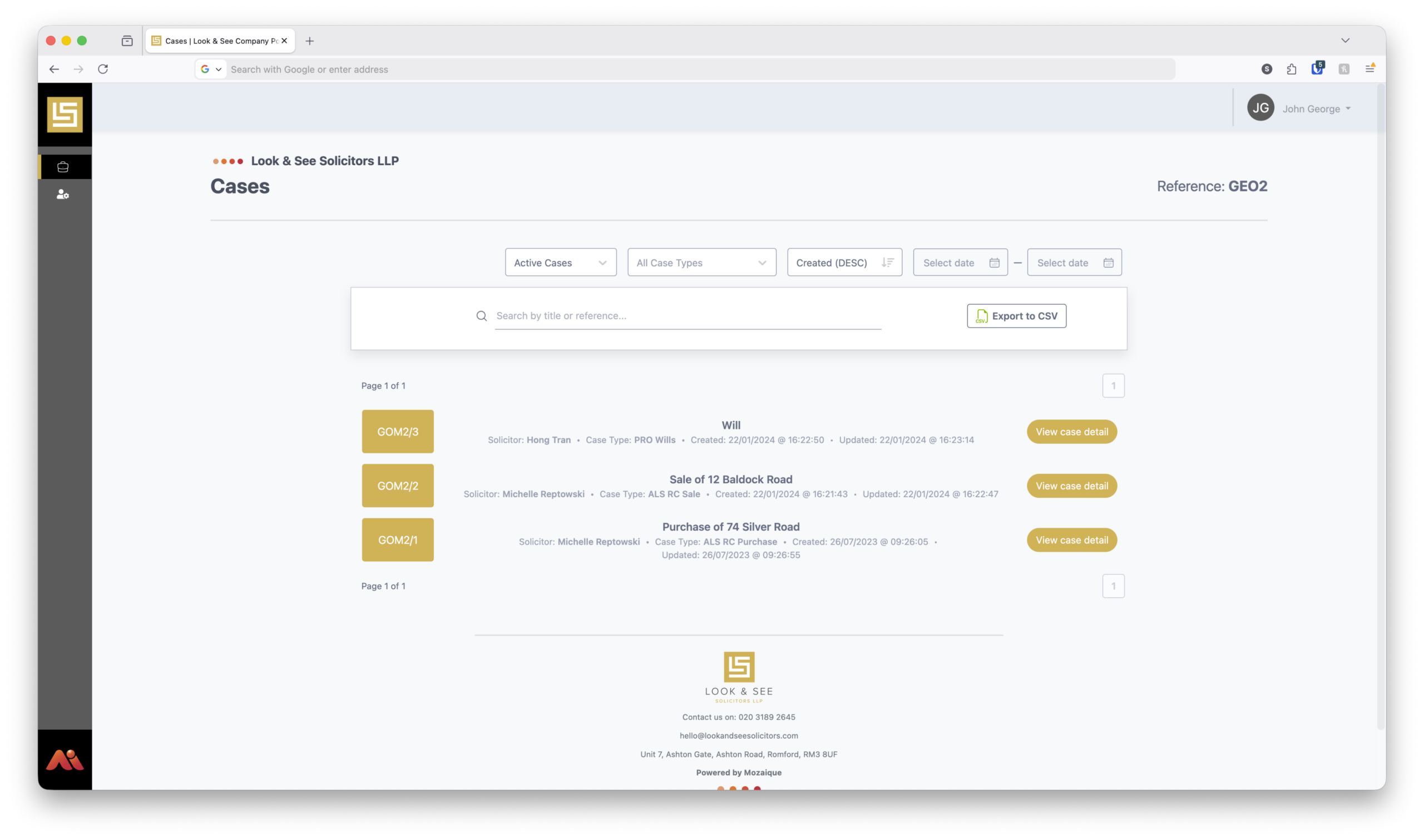
STEP 2
View all cases in one dashboard
After logging in, clients see a clear dashboard showing all their active and archived cases. This makes it easy to understand what’s in progress and revisit completed matters whenever needed.
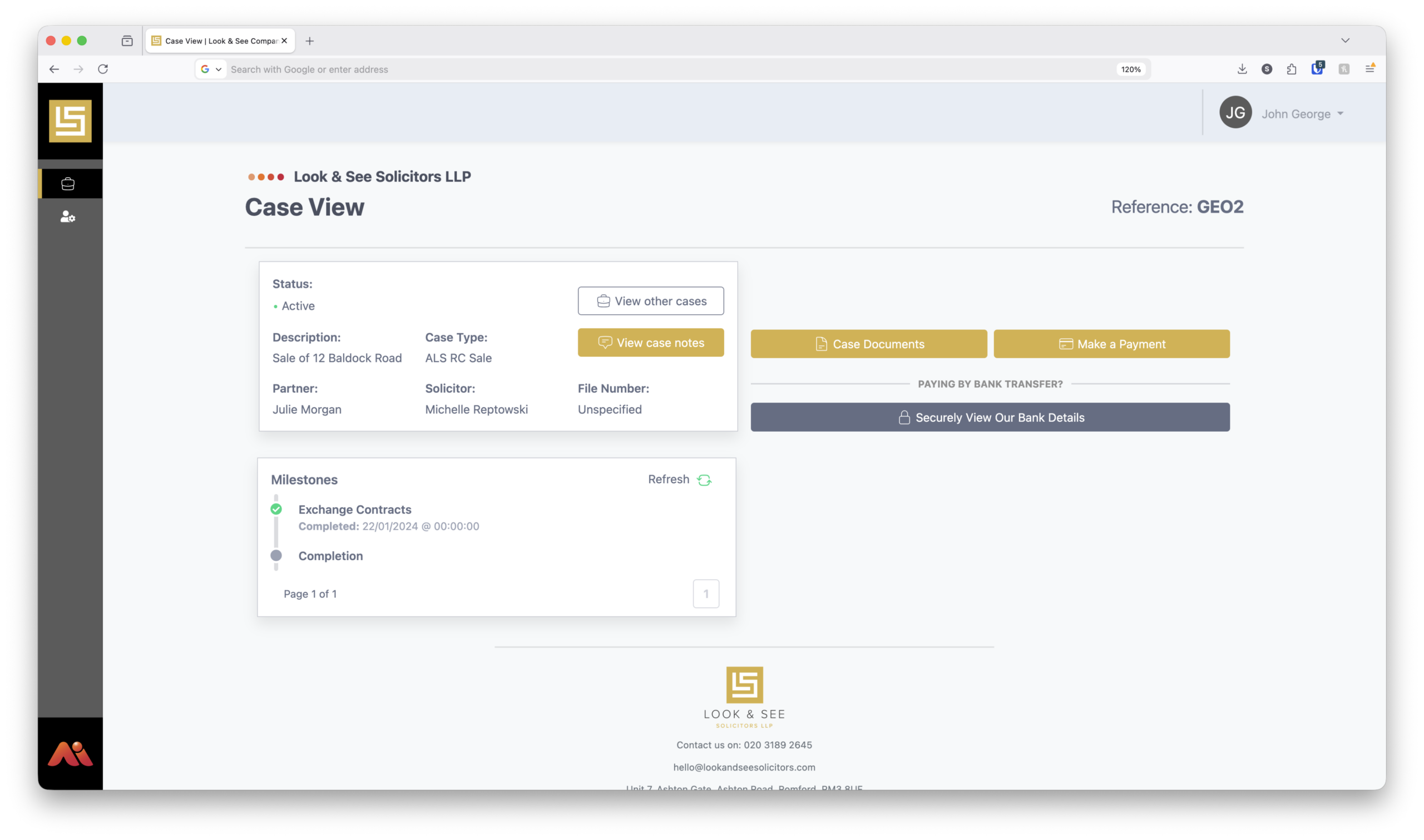
STEP 3
Manage each case online
Clients can open any individual case to view real-time updates and milestones, upload and download documents, complete to-do list items and onboarding steps, and make secure payments, all in one place. This gives clients clear visibility of progress while reducing the need for emails or phone calls to chase updates.
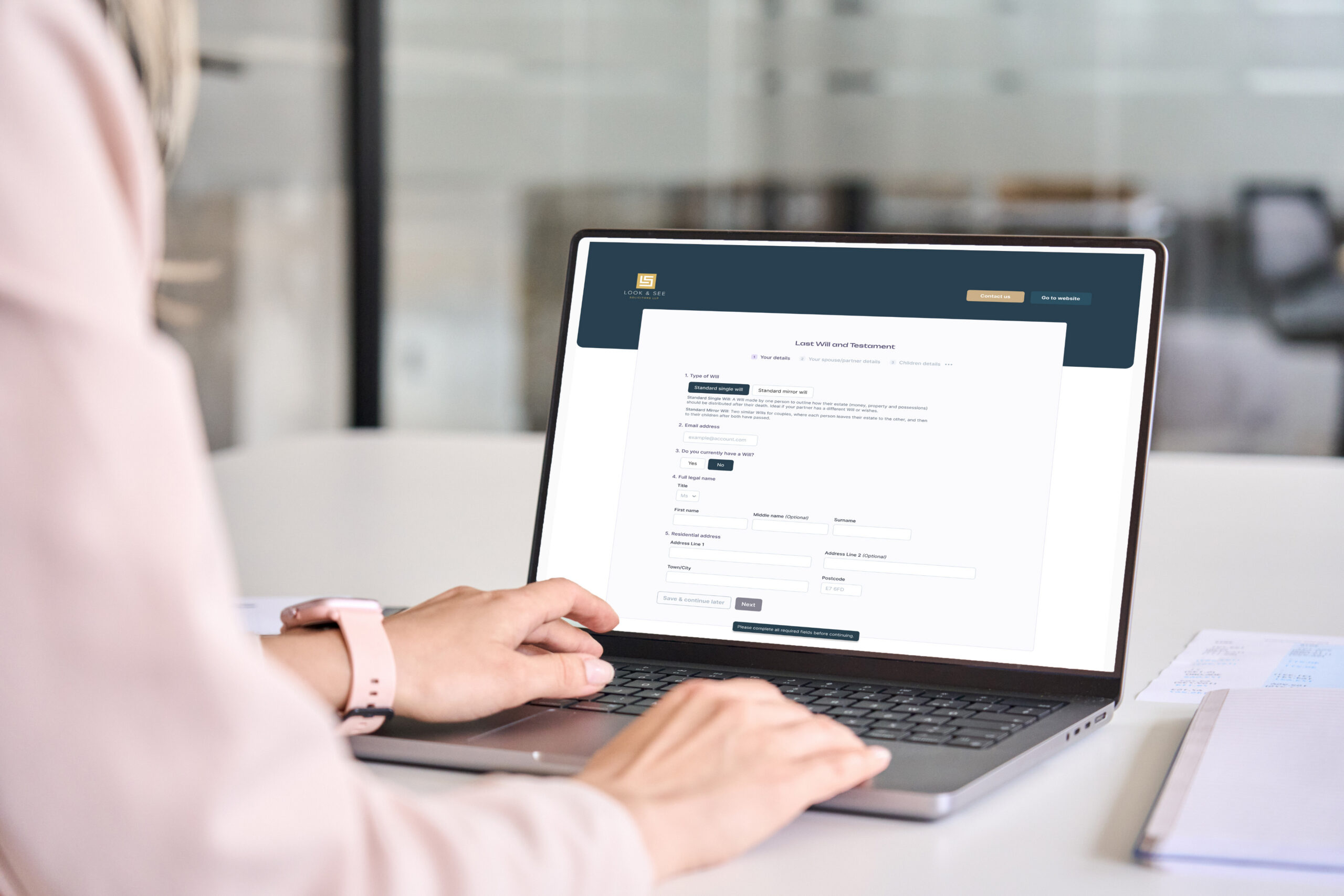
Web Forms
To-do List + Web Forms = the perfect love affair.
We embed forms into the portal for your client to fill out.
Add forms to the to-do list in the online portal, letting your client know exactly what they need to do, such as sign T&Cs or fill in proof of funds.
It’s customisable and beautifully bespoke.
Add your forms to the to-do list and customise the order of tasks, tailored to the matter.
Alternatively, we create default forms for specific work types such as the conveyancing process, so you don’t have to do a single thing.